Design
Set category, material, stones, structure and motif, and prepare concepts for review.
After the first render come craft details and launch content. KunYan AI 2.0 organizes the work into design, craft and marketing, so style information isn’t re-entered at every step.
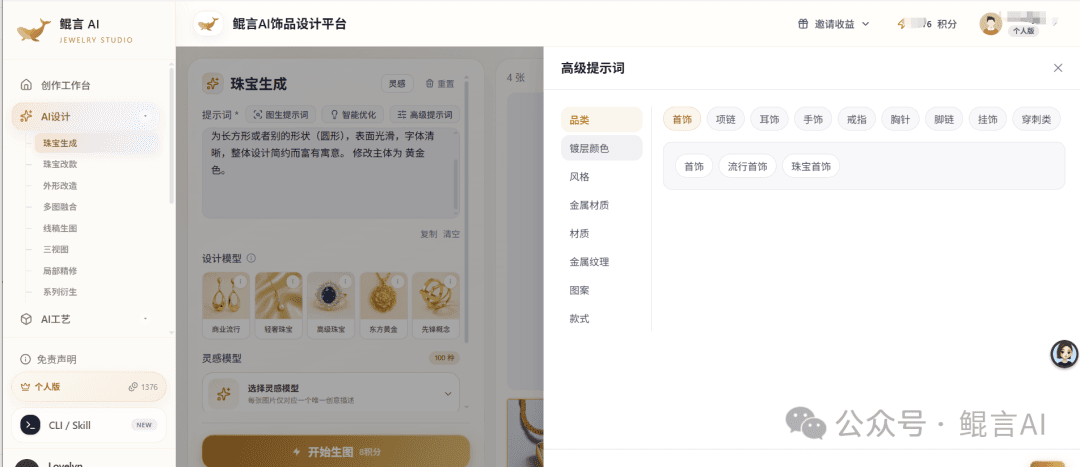
This page summarizes the features and modules from the KunYan AI 2.0 launch article: design tags, the ring 3D generation screen and necklace marketing assets — so each team can see the inputs, outputs and next steps.
Set category, material, stones, structure and motif, and prepare concepts for review.
Choose relief, full 3D or size charts to discuss structure and craft.
Existing styles can go straight to marketing for wearing shots, detail assets and campaign content.
The design module offers tags for category, material, plating, metal texture, stones, structure and motif. Teams narrow the direction first, then iterate with restyling, shape changes, three views, local retouching and collection derivation.
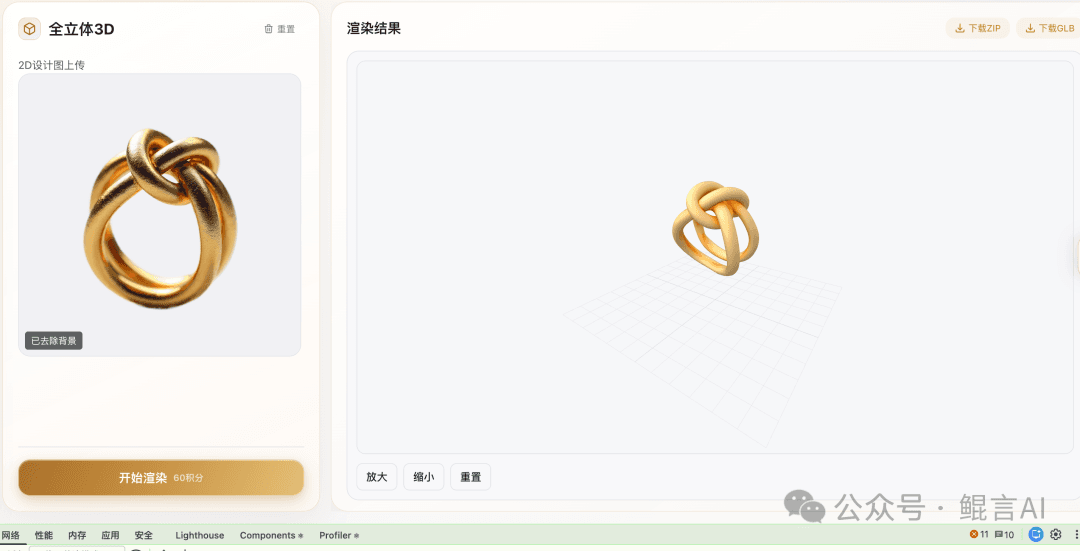
The article shows a full 3D task: upload a ring design on the left, view the rendered model on the right. The craft module also includes relief and size charts, turning visual designs into something easier to discuss with the factory.
The marketing module covers wearing shots, product retouching, e-commerce detail assets, marketing copy and short product videos. The necklace assets below show wearing and close-up craft details, so merchandisers can see what each module is for.
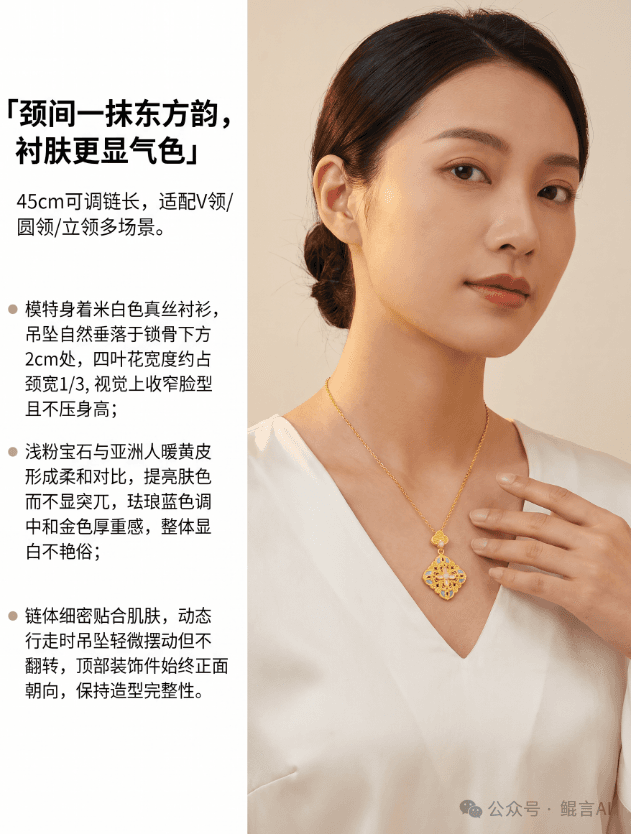
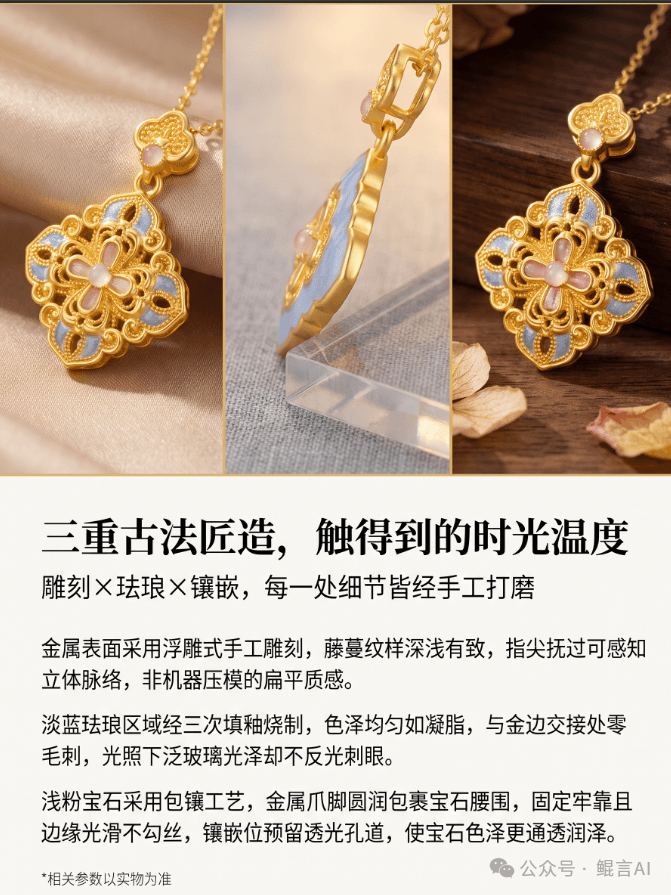
Start from ideas and sketches; save concepts, material notes and feedback for a clean handover.
Use design and craft modules to discuss relief, models and sizes, with professionals reviewing manufacturability.
With finished styles, upload product photos straight into marketing and prepare assets for each channel.
Text and screenshots are adapted from the KunYan AI WeChat article announcing KunYan AI 2.0 and its end-to-end design, 3D craft and marketing workflow (in Chinese). Modules can be used independently; confirm availability and usage in the workspace or with our team.
Read the original article (Chinese) ↗Design jewelry with the KunYan Jewelry AI model: sketch to render, reference restyles and collections. State category, metal, stones and what must stay, then check outline and settings before craft review.
See features & workflow →JEWELRY TRY-ONKunYan Jewelry AI try-on covers necklaces, earrings, rings and bracelets. Bring a clear product photo and an authorized wearing reference, then check stones, placement and proportion. The image does not replace real measurements.
See features & workflow →RELIEF & STLTurn a jewelry photo into full 3D, relief or a size chart. Relief can export STL. Check the source image, thickness and proportion first. Use the result to talk with the factory, not as a production file.
See features & workflow →Bring a product photo or sketch, choose the design, craft or marketing task, and run one round of input, generation and review.