Show the product clearly
Retouch and cut out the piece on white, and check outline, metal colour and visible details.
From design renders to product display: prepare concepts, wearing shots and e-commerce assets around one piece, so design, merchandising and the factory stay aligned.
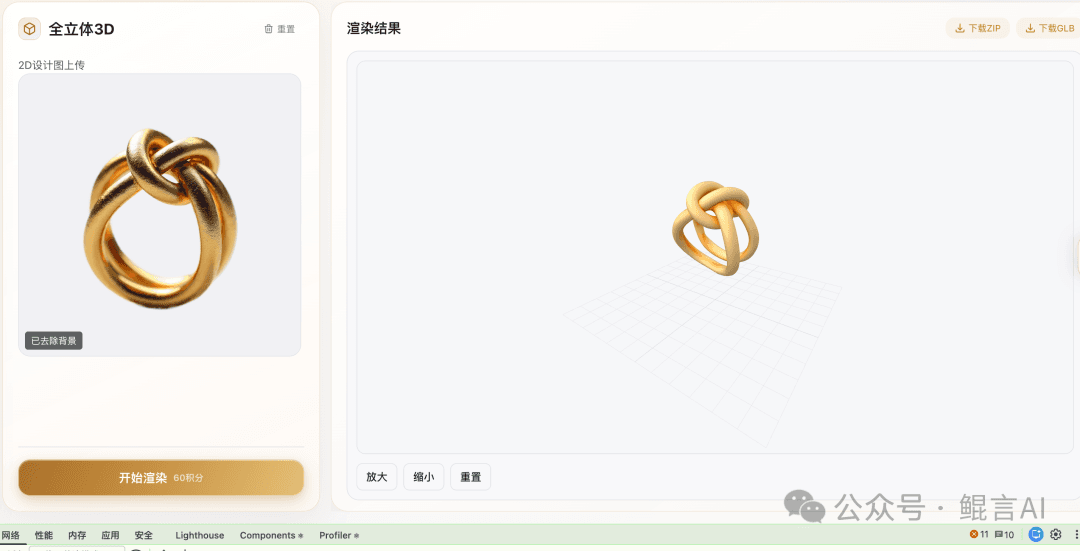 From design image to 3D craftSee KunYan AI 2.0 in practice →
Design teams explore styles and materials; e-commerce teams prepare white-background, scene, wearing and detail content; relief makers check depth maps and STL models. Confirm features and usage in the workspace or with our team.
Design jewelry with the KunYan Jewelry AI model: sketch to render, reference restyles and collections. State category, metal, stones and what must stay, then check outline and settings before craft review.
See features & workflow →JEWELRY TRY-ONKunYan Jewelry AI try-on covers necklaces, earrings, rings and bracelets. Bring a clear product photo and an authorized wearing reference, then check stones, placement and proportion. The image does not replace real measurements.
See features & workflow →RELIEF & STLTurn a jewelry photo into full 3D, relief or a size chart. Relief can export STL. Check the source image, thickness and proportion first. Use the result to talk with the factory, not as a production file.
See features & workflow →Retouch and cut out the piece on white, and check outline, metal colour and visible details.
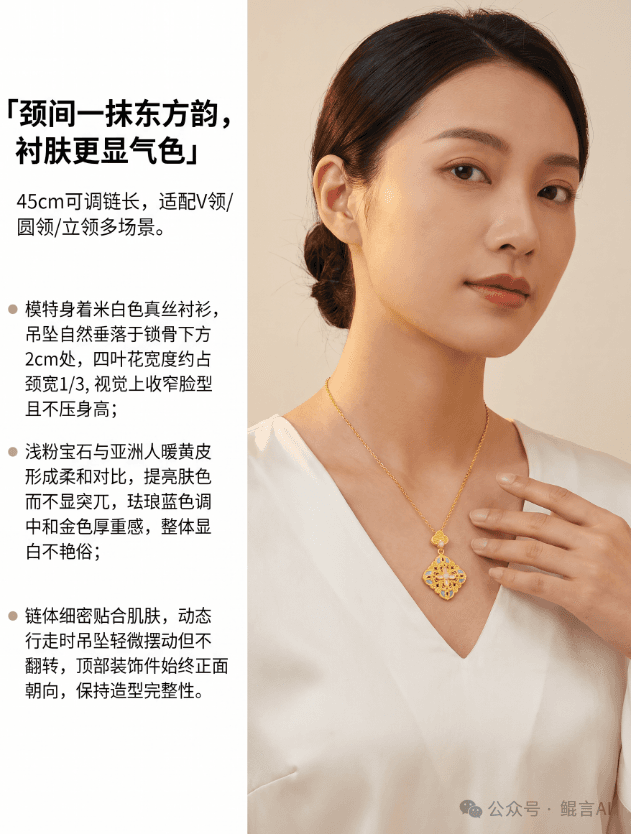
Choose scenes and wearing for the piece, and check proportion, placement and overlap.
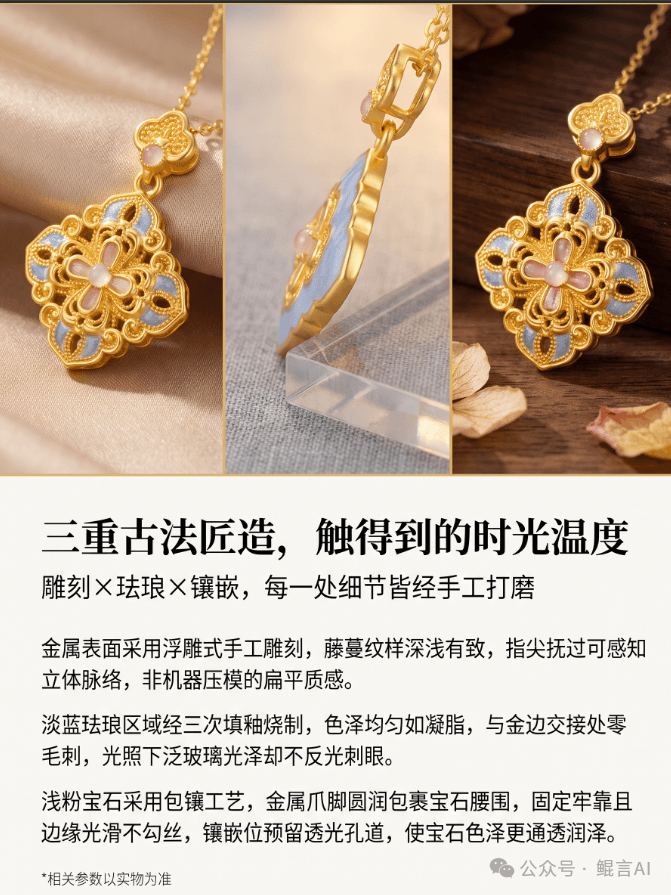
Combine key visual, wearing shots, materials and known specs into detail modules.
These assets come from the KunYan AI 2.0 launch article and show the marketing and craft modules. Materials, sizes and craft copy in the images are for illustration; check product data before publishing or production.
See KunYan’s jewelry design and agent work at the World AI Conference, then choose tools or an enterprise plan for your team.
About the Jewelry Agent launch →Jewelry designers, design studios, brand R&D, factories and e-commerce teams. Each task has its own inputs and review steps.
Open the Jewelry AI workspace to see what your account can use, or contact us about trials, plans and enterprise services.
Yes. Check structure, colour and proportion in product images; have design and relief results reviewed professionally. Generated images don’t replace real specs or production sign-off.
Bring a product photo or design sketch, pick the task, and test the input, output and revision workflow.