What to prepare
A clear sketch or reference image, plus category, metal, gemstones and colour. For sketch-to-render, say which structures and proportions must stay.
Design jewelry with the KunYan Jewelry AI model: sketch to render, reference restyles and collections. State category, metal, stones and what must stay, then check outline and settings before craft review.
A clear sketch or reference image, plus category, metal, gemstones and colour. For sketch-to-render, say which structures and proportions must stay.
Design renders for selection, internal review and client conversations; you can also explore rings, earrings and necklaces in the same design language.
Jewelry designers, design studios, brand merchandising teams and factory R&D.
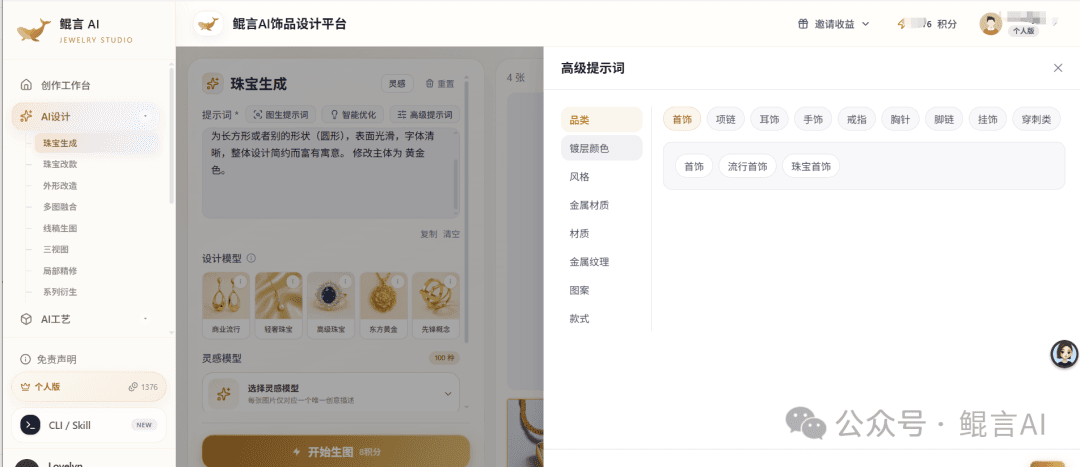
Upload a sketch with clean lines or a reference image, and add category, style and the elements to keep.
Specify metal colour, stone types and placement; for sketches, note that the structure must not change.
Compare options by outline, proportion, colour and craft, and pin feedback to specific areas.
Record the approved option and changes; design and craft staff then handle modeling, size checks and sampling.
Text, design sketches or reference images, depending on the task. Sketch-to-render suits designs whose structure is set; reference-based design suits exploring new directions.
Yes — explore a collection around shared forms and materials. Each category’s structure and wearability still needs its own review.
No. Renders don’t replace engineering dimensions, editable structure or craft validation. Have professionals confirm modeling, structural safety and manufacturing requirements first.
KunYan Jewelry AI try-on covers necklaces, earrings, rings and bracelets. Bring a clear product photo and an authorized wearing reference, then check stones, placement and proportion. The image does not replace real measurements.
See features & workflow →RELIEF & STLTurn a jewelry photo into full 3D, relief or a size chart. Relief can export STL. Check the source image, thickness and proportion first. Use the result to talk with the factory, not as a production file.
See features & workflow →Open the workspace to see current features, or contact us about plans, availability and demos.
Back to Jewelry AI overview →